See the Difference. Literally.
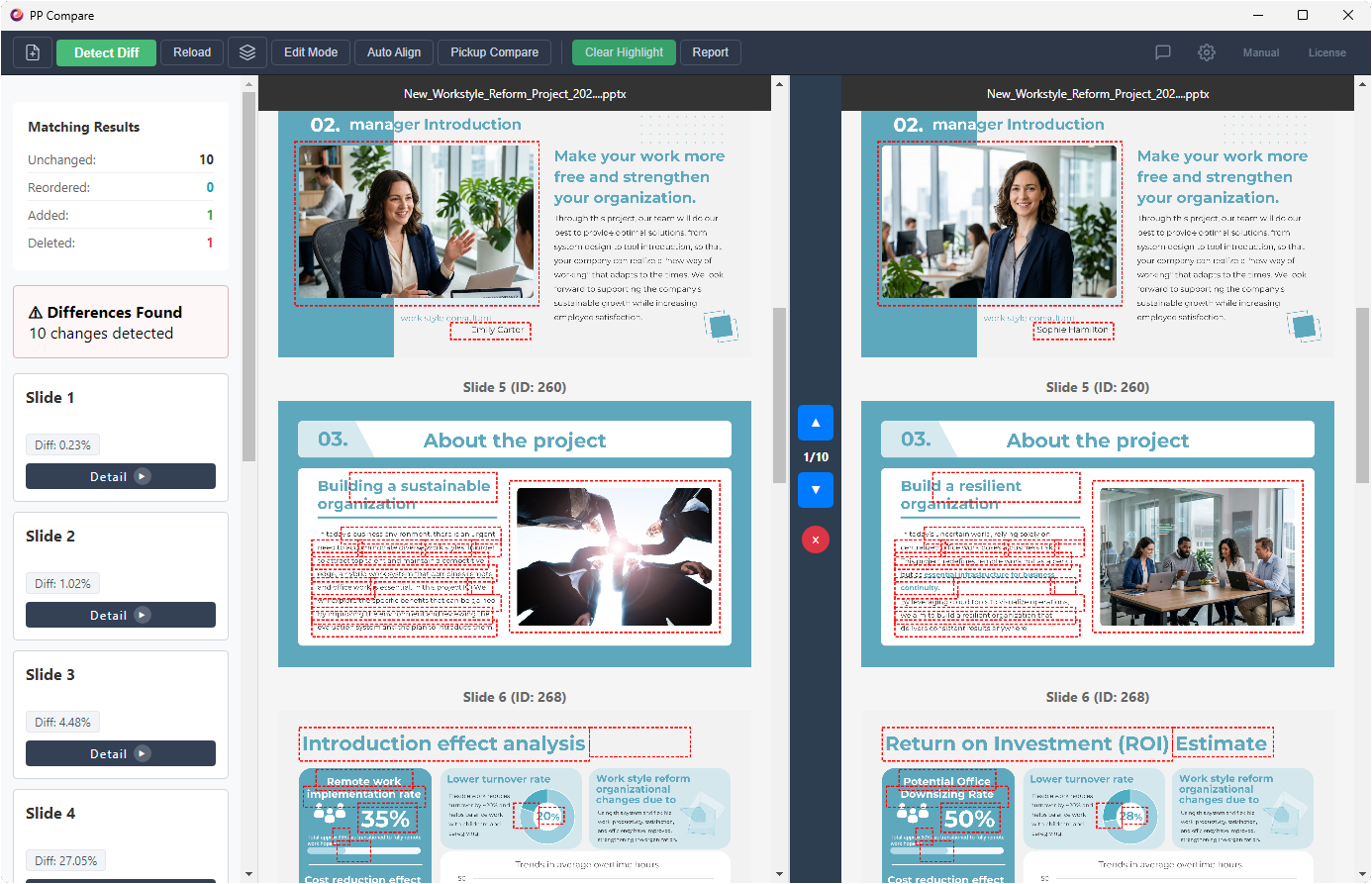
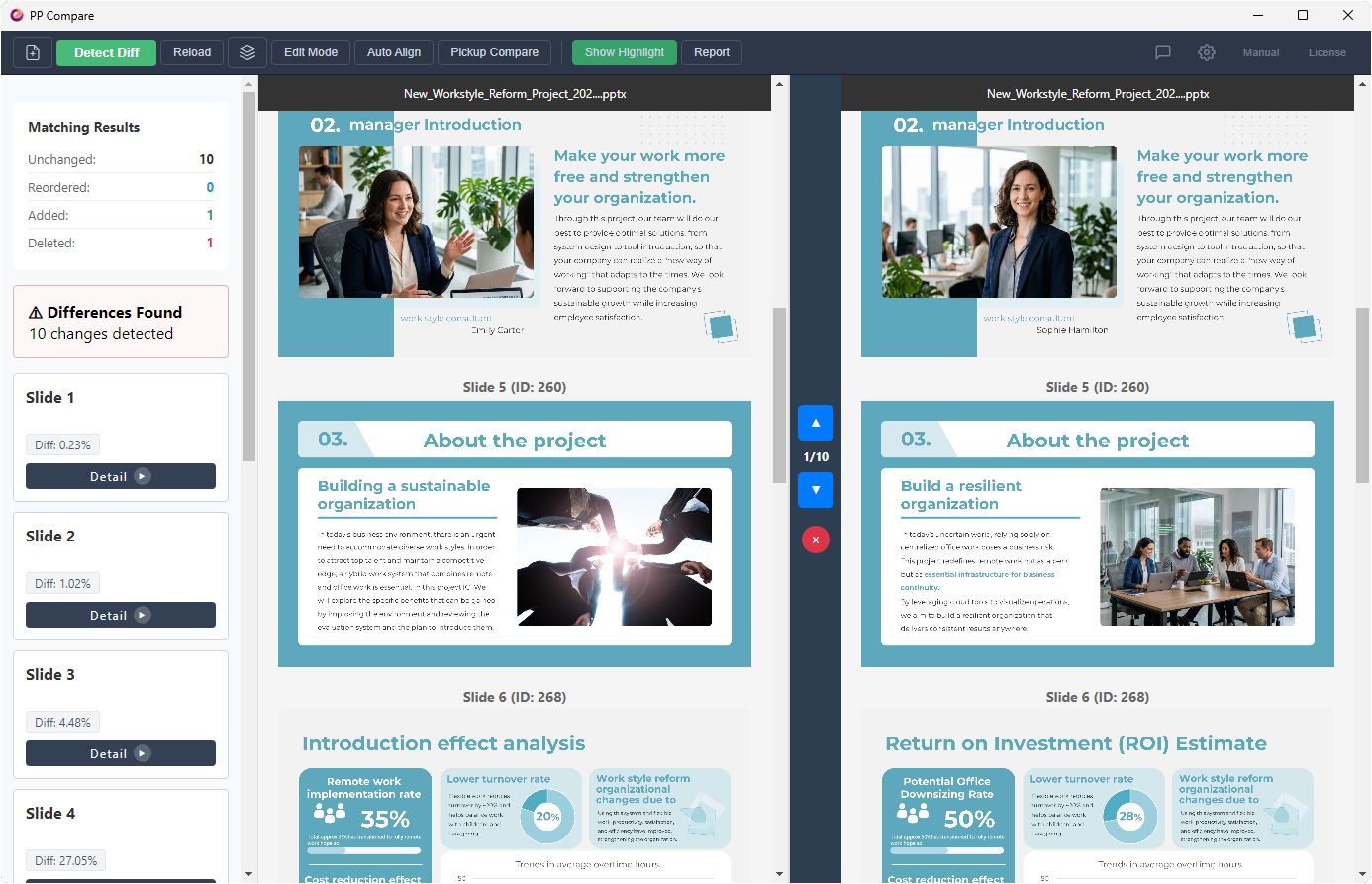
Drag the handle to see how PP Compare turns invisible changes into instantly obvious ones.
 PP Compare
 Manual Review
We brought it back. The ultimate offline comparison tool for security-conscious professionals.
Pixel-perfect, privacy-first by design, and NDA-safe for your comparisons. No cloud required.
* Windows Only / 14-Day Free Trial
* Requires Microsoft PowerPoint
Wasting hours looking back and forth between hundreds of slides just to verify client revisions.
A shifted logo, a wrong font, or a 2-pixel layout break. Human eyes can't catch everything before delivery.
You want to use web-based comparison tools, but uploading confidential design data to external servers is strictly prohibited.
Drag the handle to see how PP Compare turns invisible changes into instantly obvious ones.
PP Compare
Manual Review
Just one click starts our advanced image processing engine. It highlights every changed area with a red bounding box. Instantly see exactly which pages were modified, including pixel-level shifts in images and shapes.
Overlay the before and after slides and use the slider to wipe between them. This dynamic view exposes subtle layout shifts and image replacements that side-by-side comparisons miss entirely.
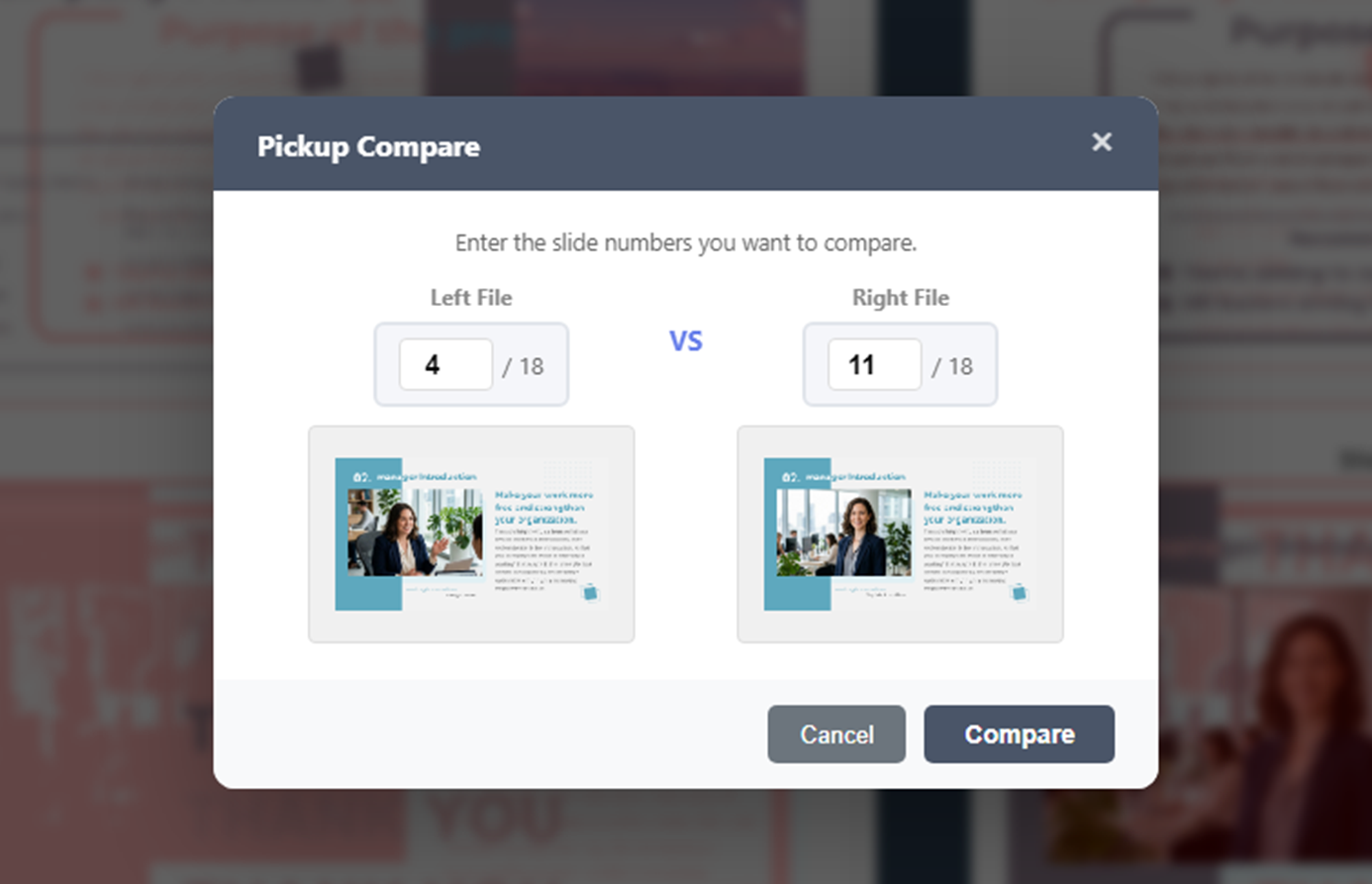
When document structures change drastically, full-file analysis is overkill. Simply select "Page 4 from the left" and "Page 11 from the right" to instantly compare specific slides on demand.
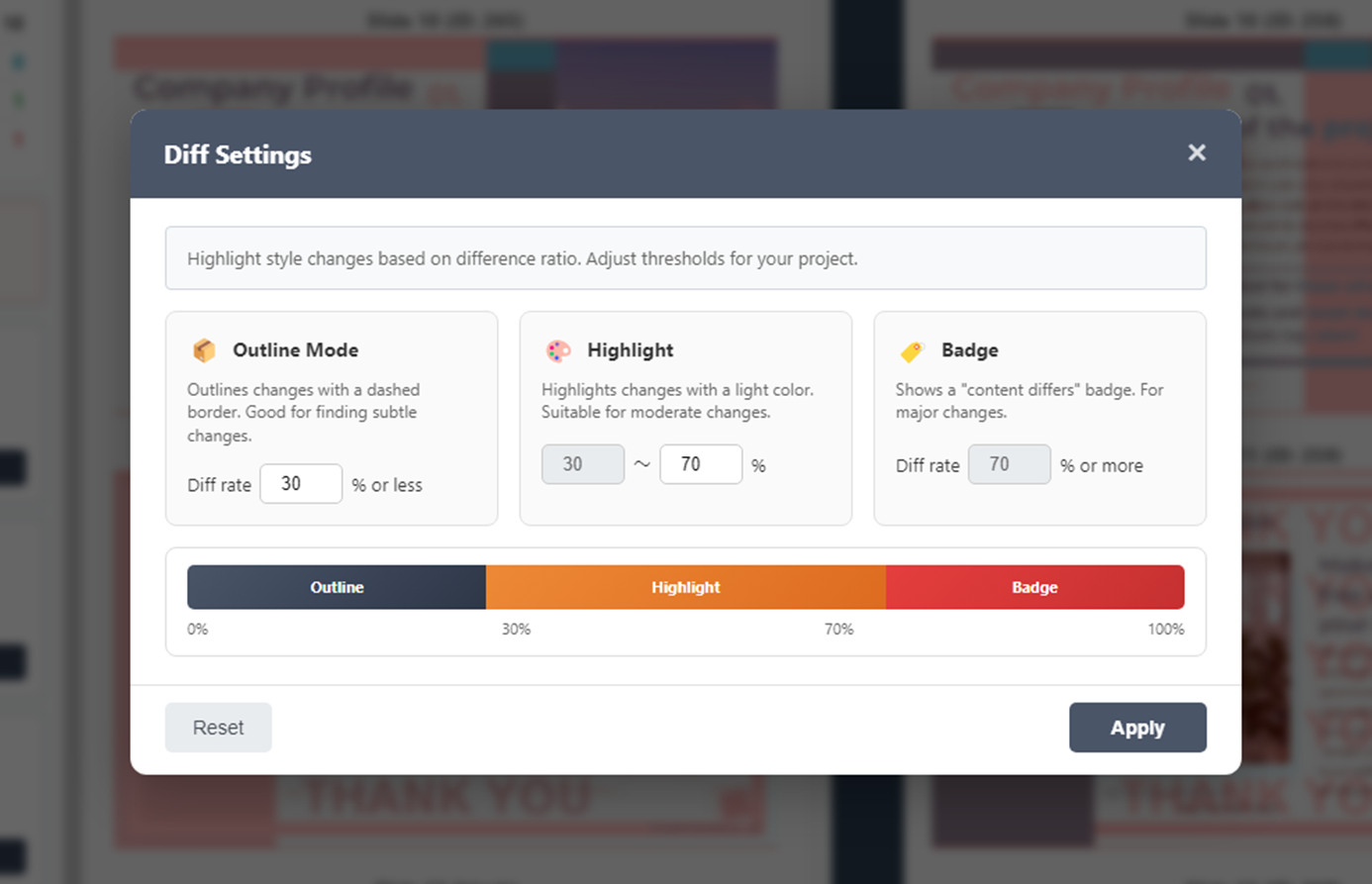
Our engine automatically switches between 3 modes based on the difference rate: "Bounding Box", "Highlight", or "Badge Warning". Filter out the noise and focus only on the changes that matter.
If slides were added or deleted, standard tools break alignment. With our unique Edit Mode, you can insert "Blank Slides" to perfectly sync the left and right page layouts, restoring visual rhythm instantly.
* This is our killer feature for layout alignment.
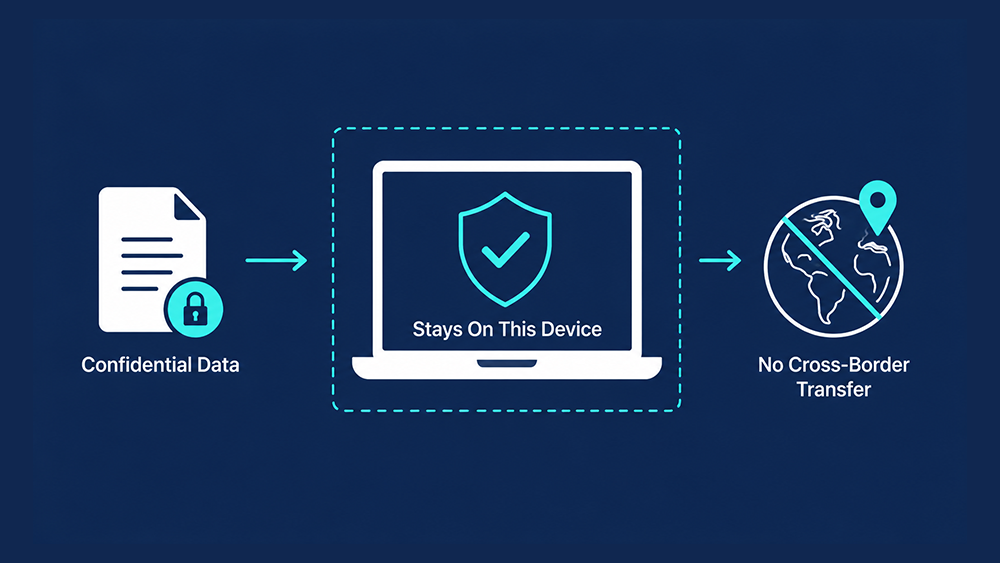
All processing happens locally on your PC — nothing is ever uploaded anywhere.
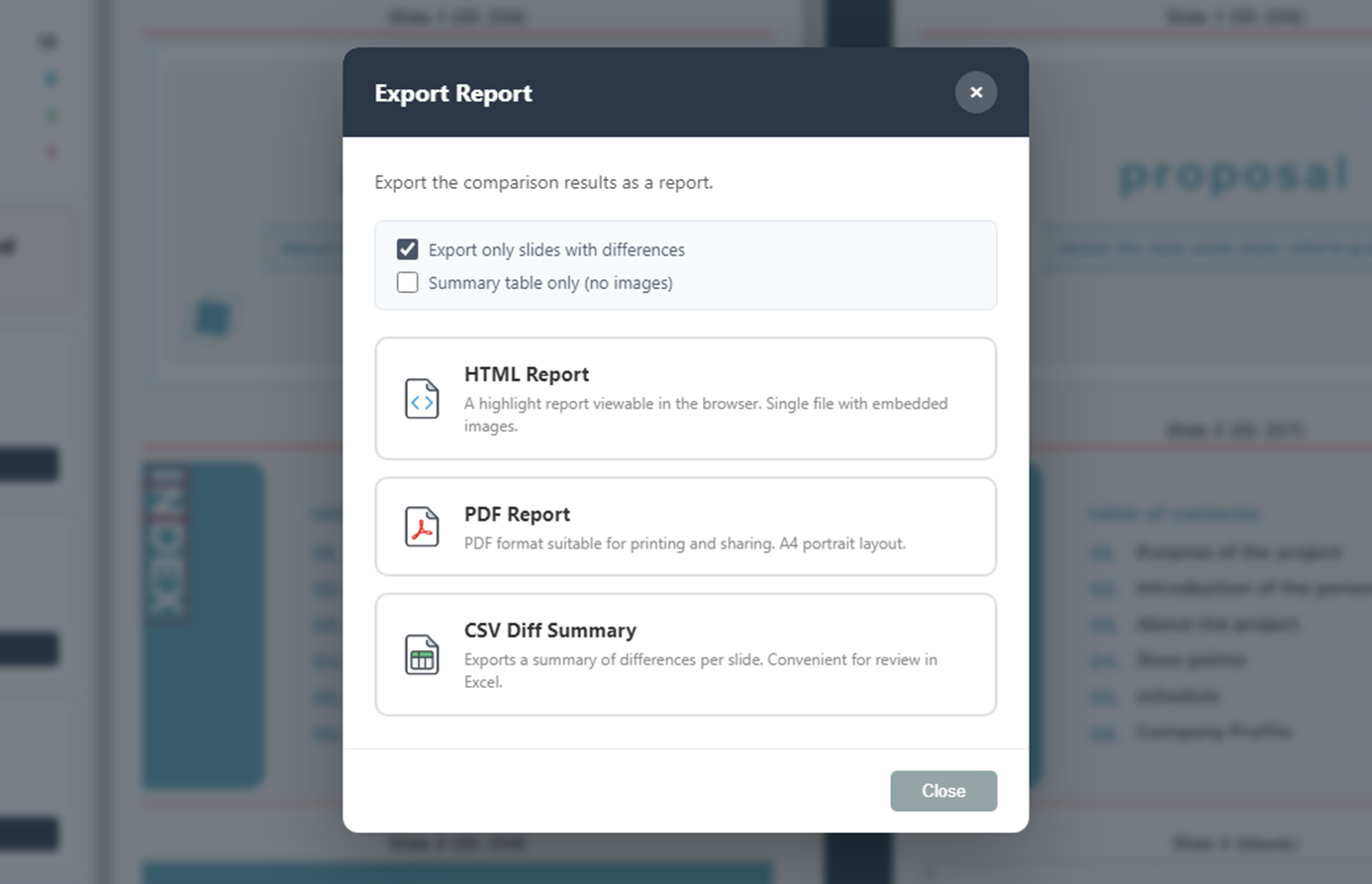
See our full security architecture ↓Export your highlighted differences as HTML, PDF, or CSV reports. Choose to export only the changed slides or a quick summary to streamline communication with your team and clients.
Protecting your intellectual property is our highest priority. PP Compare is engineered from the ground up so your confidential files never leave your machine — no exceptions, no cloud, no phone-home.
Unlike web-based SaaS alternatives, no files, slide images, or metadata are uploaded to external servers during comparison. Your data stays where it belongs.
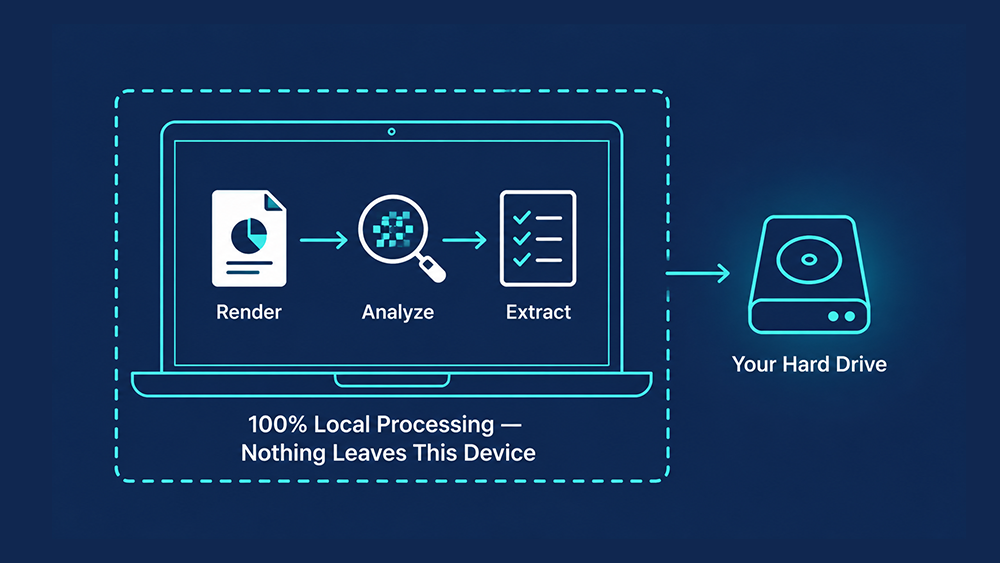
All slide rendering, high-speed pixel analysis, and diff report extraction happen strictly within your local machine's hard drive and memory.
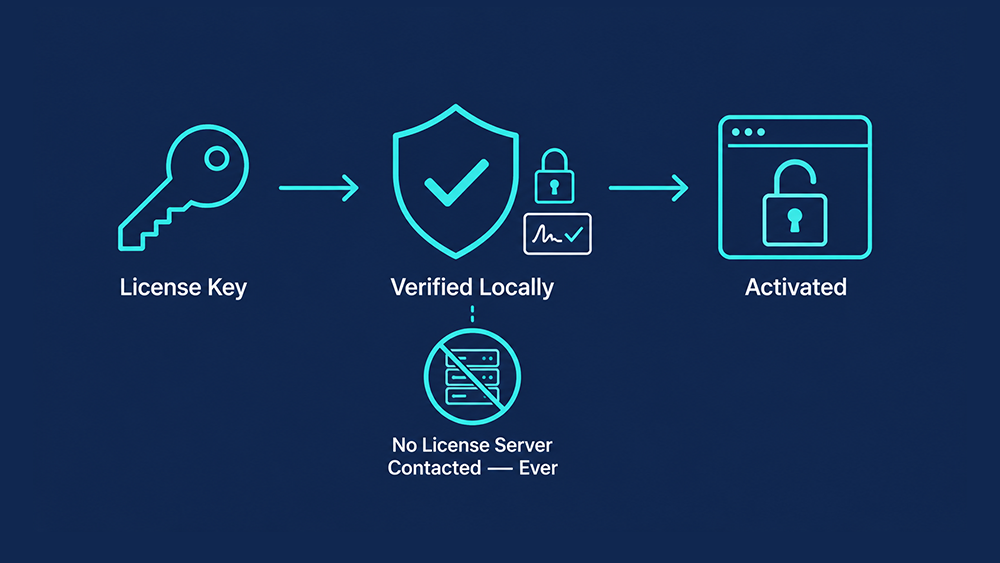
Even license activation is verified entirely offline using a cryptographic signature — no license server, no network call, ever.
Since all comparisons are performed locally and no document data is ever transmitted or stored externally, PP Compare is well suited for organizations with GDPR and other data-residency requirements. Ideal for NDA-protected financial data, legal contracts, and internal blueprints.
When a PowerPoint deck passes through multiple reviewers, it is critical to know exactly what changed, where, and how. A missed revision in a proposal, contract, or client presentation can lead to costly errors and damaged credibility.
That is why a reliable, visual diff tool for PPTX files has become essential in design agencies, consulting firms, and any team that iterates heavily on slide decks.
Most teams rely on one of two methods to catch changes in PowerPoint files:
PP Compare eliminates the blind spots of manual review and the limitations of built-in tools.
| What to Check | Manual Review | PowerPoint Built-in | PP Compare |
|---|---|---|---|
| Visual shifts (images & shapes) | △ High miss rate | △ Hard to see | ◎ Red-box highlight |
| Speed | × Very slow | 〇 Fast for text | ◎ Instant auto-scan |
| Security (data leakage risk) | ◎ No risk | ◎ No risk | ◎ 100% offline |
| Web-based free tools | × Requires cloud upload — not safe for NDA files | ◎ Fully local | |
Spending a full day staring at two monitors, searching for a 2-pixel shift in a diagram or a missing comma. No matter how much time you spend, the fear of delivering a flawed presentation always remains.
Click a button and let the machine highlight every visual difference instantly. Cut review time by up to 90% and deliver to your clients with 100% confidence. Use your saved time for creative work, not robotic checks.
See how much time — and money — your team could save with a 90% faster review process.
Instantly spot pixel-level changes in complex system architecture diagrams and technical blueprints without uploading sensitive IP.
The perfect solution for financial and government sectors where uploading confidential files to cloud comparison tools is strictly prohibited.
Verify that every piece of feedback has been correctly implemented in final client deliverables with mechanical precision.
Accelerate your final QA process when dealing with massive client revisions. Guarantee design integrity before delivery.
Act as the ultimate gatekeeper for quality, ensuring no unintended layout breaks or text shifts make it to production.
Strictly audit draft and final versions of proposals to ensure no unauthorized clauses were modified during formatting.
PP Compare is trusted by top-tier manufacturers and financial institutions
with the strictest security requirements.
Tiered discount plans available based on team size. Seamlessly equip your entire department.
We support corporate purchasing workflows, including standard invoice generation and wire transfers.
Priority email technical support. Fast response times for bug reports, troubleshooting, and operational guidance.
All feature additions, improvements, and compatibility updates are included for free during your subscription period.
Easily pass internal IT audits. Because PP Compare is 100% local, most cloud security concerns are "Not Applicable".
Designed for easy rollout across multiple machines without complex server configurations.
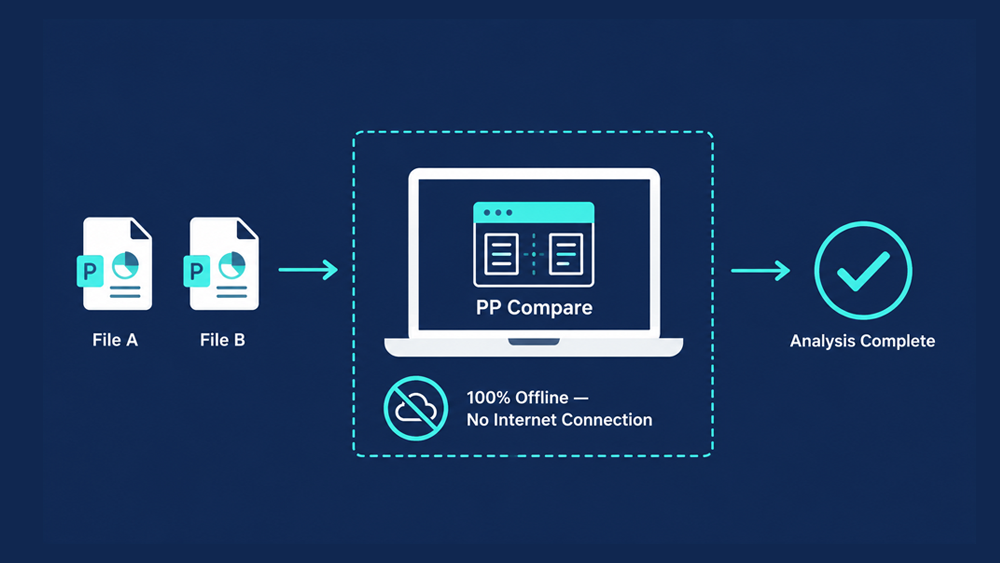
PP Compare runs 100% offline on your local machine. No data is ever sent to any external server, making it safe for confidential and NDA-protected presentations.
PowerPoint's built-in feature focuses on text changes and is poor at detecting visual layout shifts. PP Compare uses image processing to highlight pixel-level layout changes, shifted objects, and replaced images with a red bounding box.
Yes. PP Compare offers a full-featured 14-day free trial with no restrictions.
We do accept trial extension requests. Please submit a request via this form.
PP Compare installs per-machine, so administrator privileges are required during setup — standard for corporate deployment tools. The installer also supports silent, unattended installation for use with standard software deployment tools across multiple machines.
No. License keys are validated entirely offline using an embedded cryptographic signature. No license server is ever contacted — not during activation, and not afterward.
PP Compare does not auto-update in the background. New versions are downloaded manually and rolled out by your IT team on your own schedule — ideal for change-managed environments where unexpected updates aren't welcome.
Yes. You can cancel anytime from your account, with no long-term contract or cancellation fee. You'll keep access until the end of your current billing period.
* Windows Only / 14-Day Free Trial
* Requires Microsoft PowerPoint
Have a question or feedback? I'd love to hear from you.